Shopify Holiday Season 2026: Sell More Variants, Get Found by AI
Prep your Shopify store for BFCM 2026: show every variant on collection pages with Stamp and get products recommended by AI shopping assistants with Octolift.
By Craftshift Team · · 7 min read
To get a Shopify store ready for the 2026 holiday season, fix two things before November: make every color and size visible on your collection pages, and make your products easy for AI shopping assistants to recommend. Stamp Show Variants Collection handles the first, Octolift handles the second, and both have a free plan so you can set everything up before you pay.
Black Friday falls on November 27, 2026, and Cyber Monday on November 30 (see What is BFCM? for the full calendar). That leaves about six weeks. This guide shows what each app does, how to set it up, and a week-by-week checklist.
What has changed for holiday shoppers this year?
Two habits are worth planning for.
Shoppers do not spend long on a collection page. Those who land on your store are scanning dozens of deals at once. If your collection grid shows one card per product, the color, size or price they came for is hidden behind a click, and most will not click.
Shoppers ask an AI assistant before they open a store. “What’s the best merino base layer under $80?” now goes to ChatGPT, Gemini, Perplexity or Claude first. The assistant names a few products and links to them. If your product is not one of them, you never get the click.
How do you show every variant on a Shopify collection page?
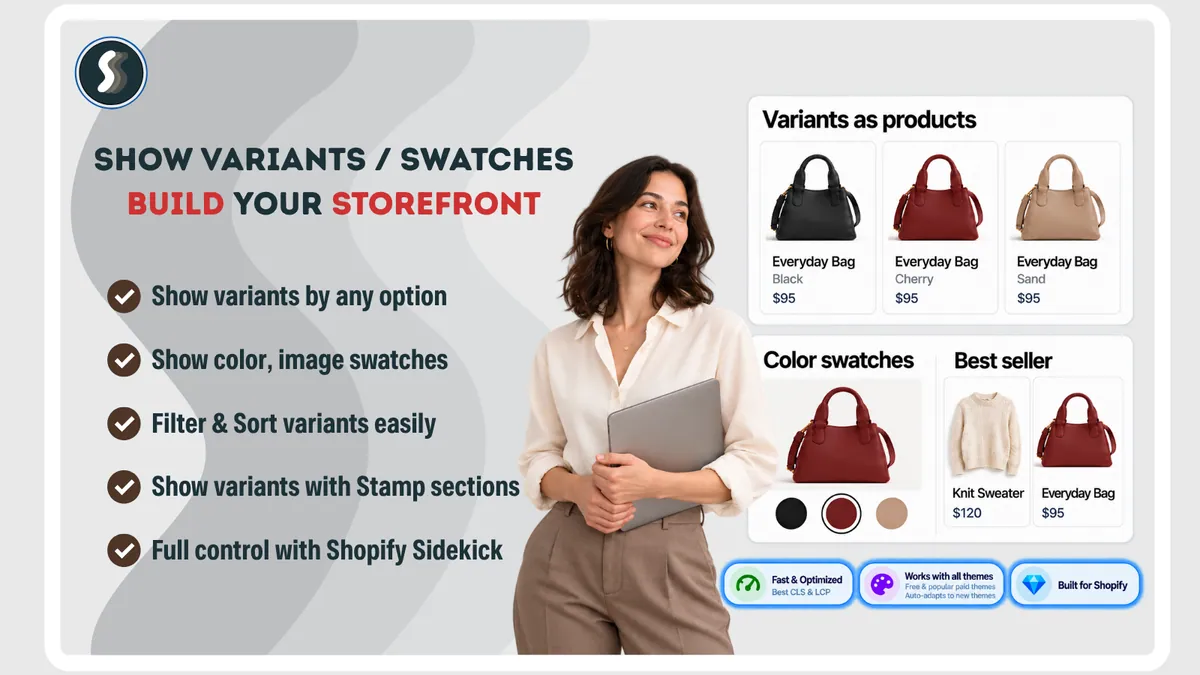
By default, a Shopify collection page shows one card per product. A jacket in six colors gets one tile, one image and one price, and the other five colors stay hidden until someone clicks. During a sale, every hidden colorway is a discount nobody sees.
Stamp Show Variants Collection, by Sezerium, gives each variant its own card with its own image, price and link. It can also show variant swatches under each product instead. It is rated 5.0 from 183 reviews on the Shopify App Store and has the Built for Shopify badge.
Why not just duplicate products for each color?
As Sezerium’s guide explains, splitting one product into six real products causes lasting problems:
| Approach | Catalog stays intact | Survives theme updates | Easy to undo | Setup time |
|---|---|---|---|---|
| Duplicate products | No | Yes | No | Days |
| Edit the theme code | Yes | No | No | Days |
| Stamp (split at display time) | Yes | Yes | Yes | Minutes |
Duplicates split your inventory, reviews and analytics across several records, create near-identical pages that compete in search, and turn every price change into six edits, which is the last thing you want during a sale. Stamp changes only what the collection grid shows. Your product, its reviews and its stock stay in one place.
How do you set up Stamp?
Stamp runs as an app embed, so setup is the same on any theme:
- In the Stamp dashboard, turn on Show variants separately.
- Pick a collection. Start with your biggest holiday collection, for example the one with the most colors.
- Pick a theme. On a live store, duplicate your theme first and preview the change on the copy.
- Choose which option to split by. Color suits most apparel; size suits candles, coffee and similar products.
- In the theme editor, open App embeds, turn on Variants on Collection and save.
Which Stamp settings matter most for BFCM?

- Swatches on every card. Show color dots or size buttons so shoppers see what is in stock without clicking.
- Per-collection rules. Your Sale collection can show only discounted variants, split by color, with out-of-stock items hidden, while other collections stay as they are.

- Smart sort by sales. Rank variants by their own sales, push sold-out items down and bring new arrivals to the top.

- A clean grid. Turn on Hide products/variants without images and Hide out of stock before the traffic arrives, and use Mix variants so one product does not fill a whole row.
- Promo cards and sections. Add a promo card to the collection grid for your holiday offer, and use best-seller or featured collection sections on the homepage.
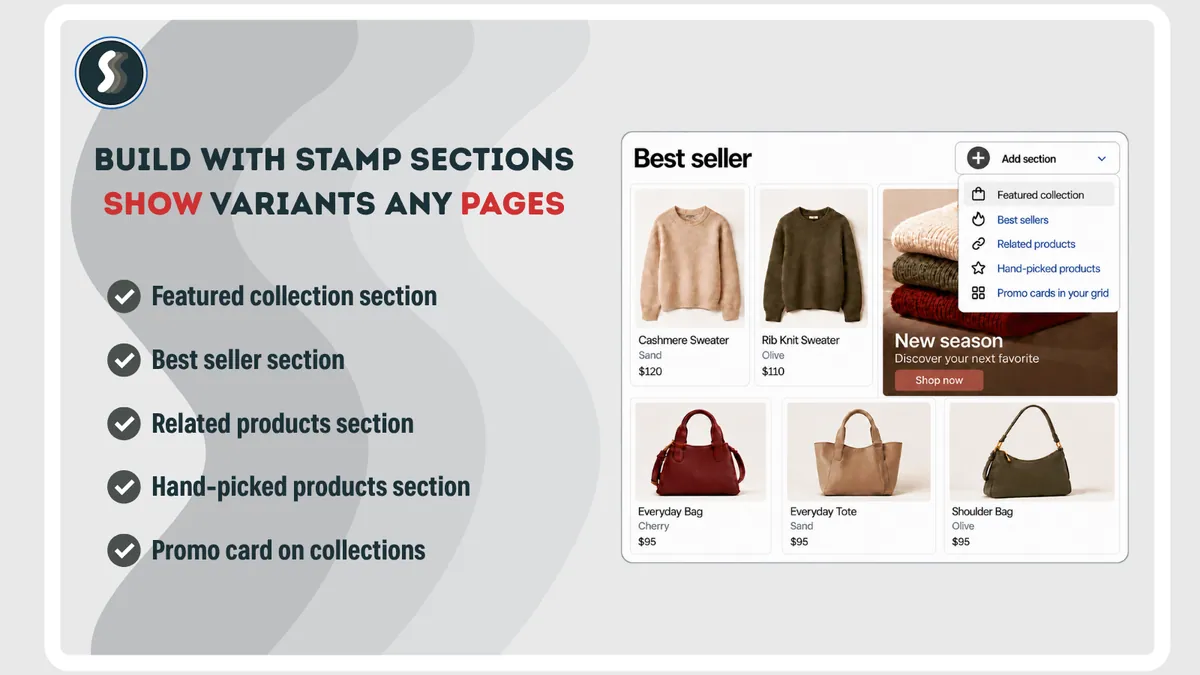
Stamp pricing: the free Build plan lets you set up and test everything before launch. Standard is $12 a month and Advanced (swatches, smart sort, promo cards, per-collection settings) is $24 a month, both with a 3-day free trial.
How do you get Shopify products recommended by AI assistants?
AI assistants recommend products whose data they can read and trust: clear titles, full descriptions, specs, variants, policies and reviews. Octolift, a Shopify app from Craftshift, scans your products the way AI agents see them, gives each one an AI visibility score and shows exactly what to fix.
1. See where you stand in AI answers
Every product gets an AI visibility score, so you know which listings are ready for the holidays and which are not. Start with the products you plan to put on sale.

2. Fix your hero products in bulk
Octolift suggests better titles, descriptions and specs, and you can apply the fixes with AI in bulk, then rescan to confirm the score went up. Suggestions do not invent facts, nothing changes until you approve it, and every change can be undone for 30 days, so it is safe to try before the rush. Our Octolift review explains how the score works.

3. Track the questions your buyers ask
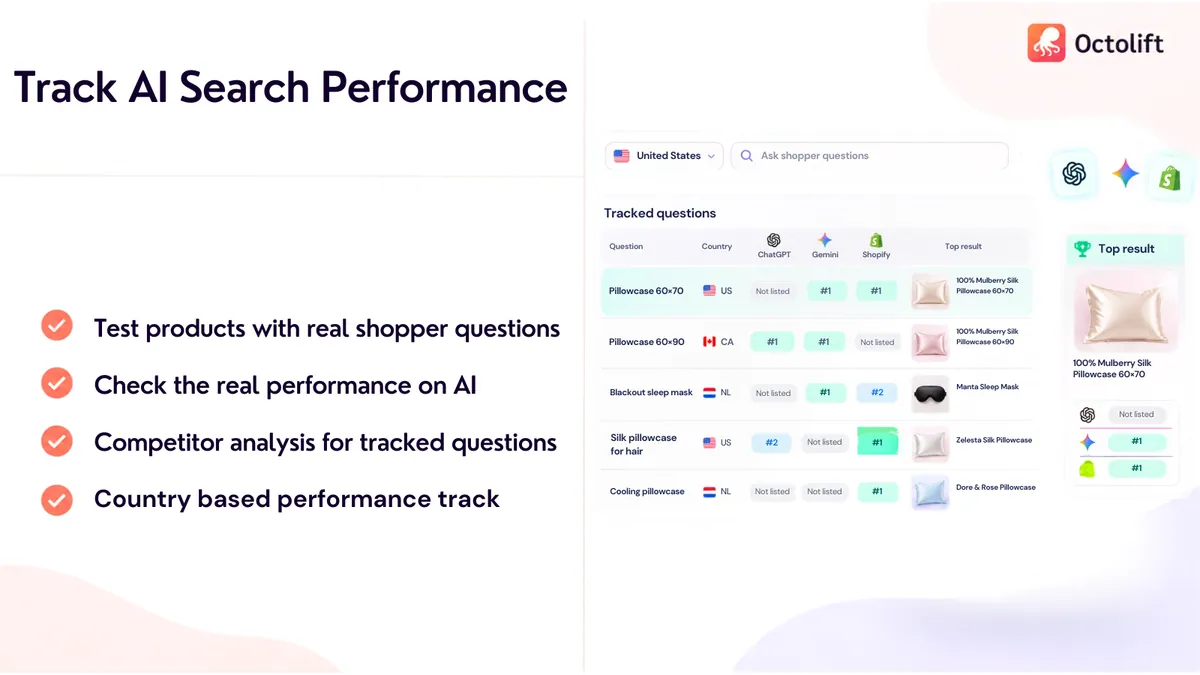
Add the questions holiday shoppers really ask, such as “best gift for a runner under $50”. On paid plans, Octolift re-checks them every week in ChatGPT, Gemini and other assistants and shows whether your products get recommended, so you know before Black Friday whether you show up.
4. Measure what AI sends you
After the weekend, see the visits, orders and revenue that came from AI assistants. That tells you which products and questions to focus on next season.

Octolift pricing: the Free plan covers 5 products analyzed and 5 shopper questions tracked. Paid plans start at $29 a month for 100 products, with weekly AI re-checks (prices from the App Store listing, October 2026).
Why do variant images matter for both apps?
A split variant card is only as good as its photo. If the blue jacket has no image of its own, its card shows the wrong color or gets hidden by the “without images” filter. Media is also one of the fields Octolift checks before an assistant can recommend a product.
If many variants are missing photos, Smart Bulk Image Upload can attach thousands of images from Google Drive or Dropbox in one run, matched by SKU, barcode, product title or metafield, and assign them to the right variants. Read how to name your files, see how matching works and check the Shopify image size requirements before you upload.
What is the holiday prep checklist?
AI assistants take time to pick up changes to your listings, so do the Octolift work first. Stamp takes minutes, but test it on a theme copy well before the traffic arrives.
| When | What to do |
|---|---|
| Now to October 31 | Install Octolift, scan the products you will put on sale, fix the lowest-scoring ones and rescan. Add 5 to 10 buyer questions you want to be recommended for. Upload any missing product and variant images. |
| November 1 to 14 | Install Stamp and split your main holiday collections by color or size on a theme copy. Turn on swatches and hide variants without images or stock. Set up the Sale collection and a promo card. |
| November 15 to 26 | Check Octolift’s AI results for your tracked questions and fix products that still do not appear. Run Stamp’s smart sort. Publish the theme copy and check collection pages on mobile. |
| November 27 to 30 | Watch which variants sell out (sold-out items move down the grid) and follow visits and orders from AI assistants in Octolift. |
| December | Compare AI-referred revenue with last year and note which questions and products did best. |
Summary
This holiday season, sales depend on two moments: when a shopper scans your collection page, and when an AI assistant decides which products to recommend. Stamp Show Variants Collection makes sure shoppers see the exact color and size they want, and Octolift helps you get recommended in the first place. Both depend on complete product images, so fill the gaps first: try Smart Bulk Image Upload free on the Shopify App Store.